

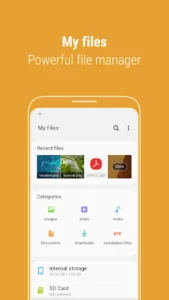
Samsung My Files functions as a centralized file explorer for your smartphone, enabling you to manage content not only on your device’s internal memory but also on external storage such as SD cards and USB drives. It extends its utility by integrating with cloud services like Google Drive and OneDrive, allowing for comprehensive file organization. Users can perform essential tasks like creating folders, moving, copying, sharing, compressing, and decompressing files, providing a unified approach to handling digital assets across multiple locations.
Managing Diverse Storage Locations
The app consolidates access to files stored across various locations. Beyond the internal storage of your smartphone, it allows you to browse and manage files residing on an inserted SD card or a connected USB drive. This capability means you don’t need separate tools for different physical storage media, simplifying the process of locating and organizing your data.
Streamlined File Operations
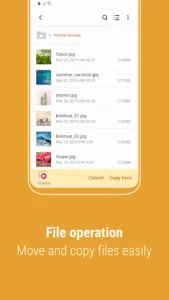
With My Files, users can perform a range of fundamental file management actions. This includes creating new folders to organize content, moving files between different directories, or copying them to new locations. The app also supports sharing files with others, compressing multiple files into a single archive, and decompressing archived files. Additionally, you can view detailed information about any file or folder directly within the app.
Storage Analysis and Optimization
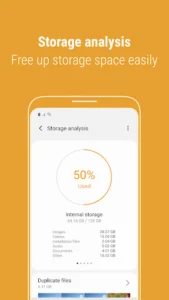
To help users maintain their device’s performance, My Files includes features for storage management. A dedicated Storage Analysis button on the main screen allows for easy identification of storage usage, helping users understand what is consuming space. Furthermore, the app provides a function to free up storage space. For a customized view, users can hide any unused storage space from the main screen by utilizing the Edit My Files home option.
Enhanced File Navigation
Navigating through your files is made more convenient with several built-in features. The Recent Files list quickly shows items you have recently downloaded, run, or opened. A Categories list organizes files by type, such as documents, images, audio, video, downloaded content, and installation files (APKs), making specific file types easy to locate. For quick access, users can create shortcuts to frequently used folders and files, which can be displayed on both the device’s home screen and the My Files main screen. A Listview option also allows for viewing long file names in full, without them being truncated by ellipses.
Cloud Service Integration
The app extends its management capabilities to popular cloud storage platforms. It supports integration with Google Drive and OneDrive, allowing users to access and manage their cloud-stored files directly alongside those on their local device and external storage. This means a single app can serve as a gateway to both your physical and virtual file repositories.
Important Considerations
It is important to note that the specific features and functionalities supported by the app may vary depending on the particular smartphone model a user possesses. This means that while the core capabilities remain consistent, certain advanced or integrated features might differ across devices.












Write a review